
Every guide to website chat widgets says the same thing: pick a tool, paste a snippet, done. What they skip is the part your visitors actually experience - a widget that clashes with your design, pops up mid-scroll, and connects to a bot that answers nothing. We build a chat widget for a living, so this guide covers both halves: how to add one to your site in under a minute, and how to pick one that your customers will not hate.
What is a website chat widget?
A website chat widget is a small chat interface embedded on your site, usually a launcher bubble in the bottom corner that expands into a conversation window. Visitors type a question and get an answer from your team, an AI agent, or both, without leaving the page or opening their email client.
Under the hood it is a script tag that loads a chat application into the page and connects it to an inbox on your side. Modern widgets do more than relay messages: they carry visitor identity across visits, feed an AI agent grounded in your docs, and hand conversations to a human when needed.
The widget is the front half of a live chat system. The back half, the inbox where your team answers, matters just as much - we covered that side in best shared inbox software. And if you are shipping chat for a SaaS product specifically, live chat for SaaS covers what to build and what to skip.
What most chat widgets get wrong
Most chat widgets are ugly, non-branded, and annoying, with bad UX for the customer. That is our honest read of the market after testing dozens of them, and it is the reason we put so much design work into ours.
The failure modes repeat across tools:
- They look bolted-on. A default-blue bubble with the vendor logo, sitting on a site with a completely different palette. Visitors read it as third-party, and trust drops before the first message.
- They interrupt. Auto-opening windows, sound effects, fake "Sarah is typing" animations. Aggressive popups train visitors to close the widget on sight, which kills the channel for the people who actually need help. A behavior-triggered greeting that waits for a real signal is the fix.
- The bot behind them is dumb. A beautiful widget wired to a keyword-matching chatbot still fails on the first real question. The widget is a door. What answers behind it decides whether the visitor stays.
- Slow load, slow reply. A heavy widget bundle drags page performance down, and then the "live" chat takes four hours to answer. Both break the promise the bubble makes.
None of this is inherent to chat widgets. It is a bar most vendors do not clear.
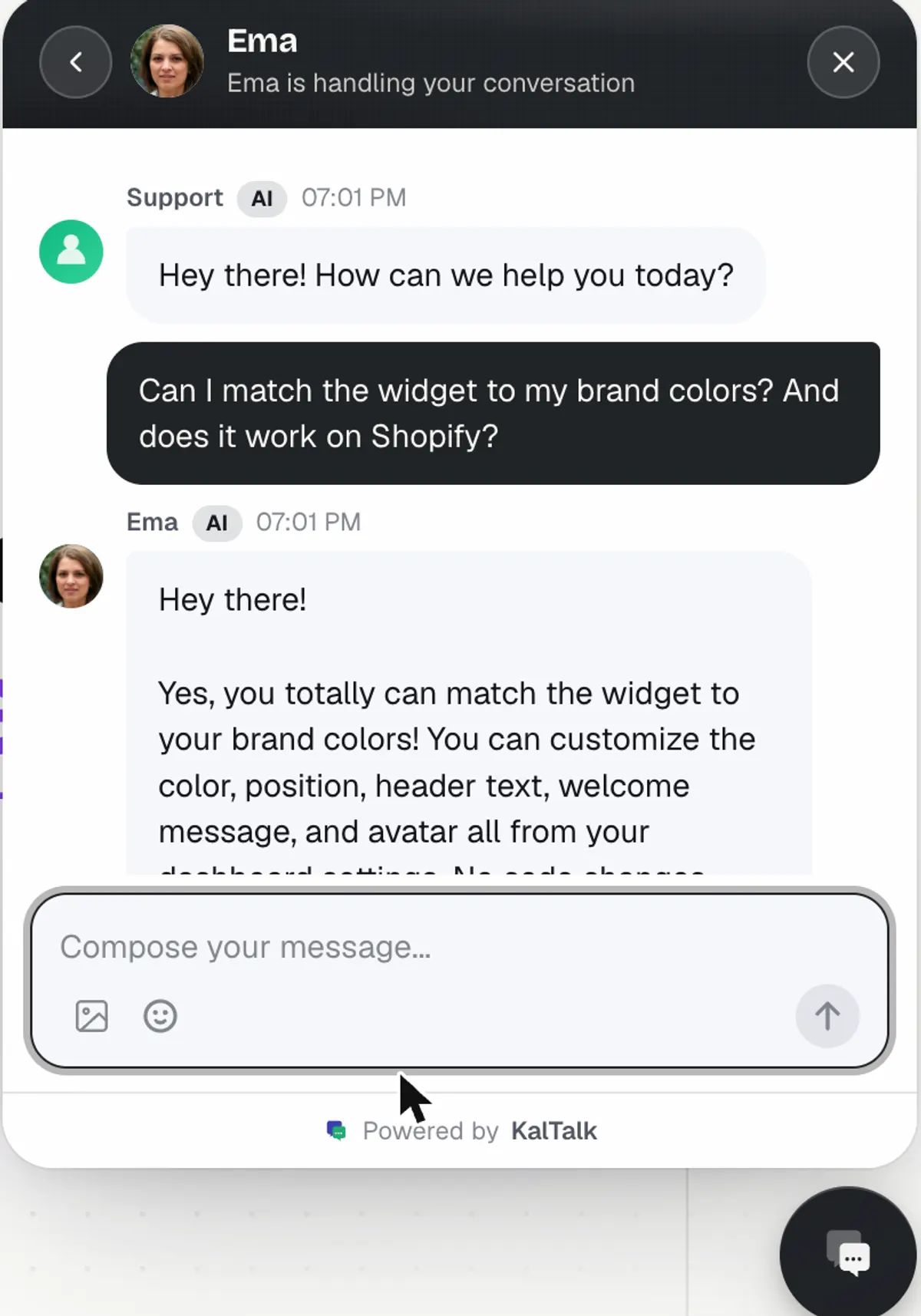
How to add a chat widget to your website
You add a chat widget by pasting one script snippet before the closing body tag of your site. Every serious tool works this way. Here is the KalTalk version, which goes from signup to a live branded widget in under a minute:
- Create an account. The free Starter plan includes the widget and live human chat, no card required.
- Paste the snippet before your closing
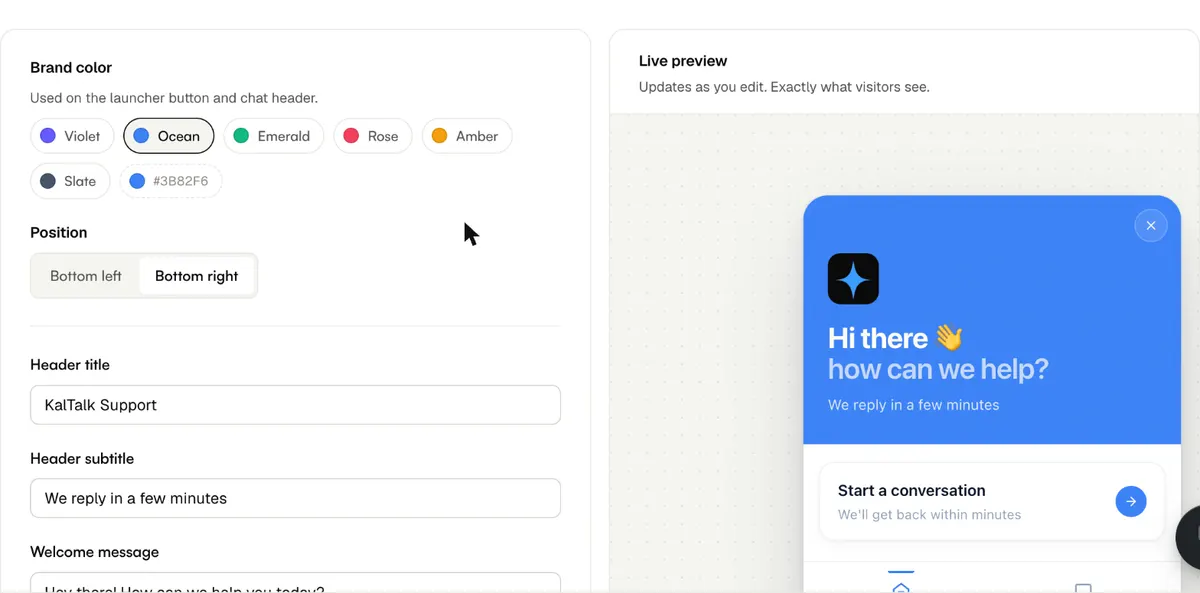
</body>tag, replaceYOUR_ORG_ID, deploy. The full install reference, including identity passing for signed-in users, is in the widget docs. - Brand it. Pick your exact brand color, choose the corner, upload your logo. This step is the difference between a widget that converts and one that gets ignored.
- Go live. Conversations reach your team in the shared inbox and in the mobile app, which is included on every plan, free tier included.
The snippet loads asynchronously after your page content, so it does not block rendering. If a widget vendor cannot say the same, keep looking.
The 7 best chat widgets for websites in 2026
The short version: KalTalk if you want design quality plus a real AI agent in one flat price, tawk.to if the budget is zero, and the rest depending on which trade-off you accept. We are obviously not neutral on the first entry, so every claim below is one you can check on the vendor pricing pages.
| Widget | Free plan | AI agent | Paid from | The trade-off |
|---|---|---|---|---|
| KalTalk | Yes, forever | Bundled, Pro and up | $47.99/mo flat | Web, email, WhatsApp - no social DMs |
| tawk.to | Yes, everything free | Add-on | $0 + add-ons | You do the answering yourself |
| Crisp | Yes, limited | Keyword-based bot | $95/mo workspace | Bot matches keywords, not meaning |
| Tidio | Yes, limited | Lyro, separate SKU | $49.17/mo + Lyro | Two bills for chat + AI |
| LiveChat | No, trial only | ChatBot, separate product | $49/agent/mo | Per-seat plus a second subscription |
| Intercom | No | Fin, $0.99/resolution | $29/seat/mo | Cost scales with seats and resolutions |
| Chatwoot | Yes, 2 agents | Credit-based add-on | $19/agent/mo | Self-hosting is on you |
1. KalTalk
Ours, so judge the claims, not the ranking. We put a lot of design work into the widget: it takes your exact brand color, your logo, and your corner, and the whole setup takes under a minute. The free Starter plan includes the widget, live human chat, and the mobile app. From Pro at $47.99/mo you get the AI agent bundled in - one that answers from your knowledge base and hands off to a human when it should, not a separate SKU stacked on top. Not every competitor ships those in one price, and that bundle is the honest reason to pick us.
2. tawk.to
The free king. tawk.to is genuinely 100% free - unlimited agents, unlimited chats, no feature gates. The business model is add-ons: removing the "Powered by tawk.to" branding costs a fee, and hired human agents run $1/hr. The catch is what free means here: you answer every chat yourself, and the widget carries their branding until you pay. For a side project with zero budget, start here.
3. Crisp
A polished widget with a broad feature set and a limited free tier. The weak point is intelligence: the chatbot matches keywords against help articles rather than generating grounded answers, and the paid workspaces start at $95/mo (Essentials). Good widget, dated bot - the full comparison is in our Crisp alternative breakdown.
4. Tidio
A solid widget popular with small ecommerce teams, with a usable free tier. The AI, Lyro, is a separate add-on from $32.50/mo on top of the $49.17/mo Growth plan, so chat and AI arrive as two line items. If you want the AI in the same bill as the chat, that stacking is the dealbreaker - details in the Tidio comparison.
5. LiveChat
A mature, reliable widget with strong ecommerce integrations and no free plan. Billing is per agent ($49/agent/mo on Team, billed annually), and the autonomous bot is literally a second product, ChatBot, from $52/mo with its own training and invoice. Two subscriptions for one conversation - the math is in our LiveChat comparison.
6. Intercom
The premium suite. Excellent widget, deep product tours and outbound messaging, and pricing to match: from $29/seat/mo plus $0.99 per Fin AI resolution, which makes costs scale on two axes at once. If you need the full growth suite it earns its price. If you mainly need chat plus AI answers, you are funding features you will not use - see the Intercom alternative math.
7. Chatwoot
The open-source option. Self-host it for free, or use the cloud from $19/agent/mo (free up to 2 agents). AI runs on a credit system. The trade is engineering time: self-hosting means you own updates, uptime, and scaling. Right when you have infra capacity and data-residency requirements, wrong when you just want chat working today.
Free vs paid: when the free widget is enough
A free chat widget is enough when a human answers every conversation and volume is low. KalTalk Starter, tawk.to, Tidio Free, and Chatwoot Hacker all cover that honestly.
You outgrow free on three triggers:
- Volume. When repeat questions eat your day, you want an AI agent answering the repetitive majority. That is the jump to an AI chatbot on the widget, and on most platforms it is where pricing starts.
- Branding. Free tiers advertise the vendor. Paying removes their logo from your site.
- Team. More seats, assignment rules, and a shared inbox that keeps five people from answering the same customer twice.
Price the jump on total cost, not the headline tier. As the table above shows, several vendors split chat and AI into separate bills, so the real monthly number is the sum.
Does a chat widget slow down your website?
A well-built chat widget does not meaningfully slow your site, because it loads asynchronously after your content renders. The script tag is non-blocking: your page paints first, the launcher appears after.
The qualifier is "well-built." A widget that injects a large synchronous bundle in the head will hurt your load metrics. Two checks before you commit to any vendor: confirm the snippet is async (the vendor docs should say so - ours does), and run your page through a performance audit before and after install. If the widget moves your numbers, that is a vendor problem, not a chat problem.
Chat widget checklist before you go live
- Widget matches your exact brand color and carries your logo, not the vendor's
- Launcher sits in the corner that does not cover your CTA on mobile
- No auto-open, no sound, no fake typing indicators
- First reply path is real: an AI agent grounded in your docs, or a human who actually answers
- Escalation to a human exists and is offered, not hidden
- Snippet loads async and your performance numbers held after install
- Someone owns the inbox - a widget nobody answers is worse than no widget
The widget is the easy 20%. What answers behind it - a grounded agent, a staffed inbox, a clean handoff - is what decides whether visitors use it twice. If you want to see the whole loop working, try the demo or start on the free plan and time the install yourself.
Website chat widget FAQ
What is the best chat widget for a website?
Depends on the constraint. KalTalk for design quality plus a bundled AI agent at a flat price, tawk.to if the budget is zero, Chatwoot if you need open source and self-hosting. The comparison table in this post ranks all seven by free plan, AI, and starting price.
Is there a completely free chat widget?
Yes. tawk.to is fully free with unlimited agents and makes money on add-ons like branding removal. KalTalk, Tidio, and Chatwoot offer free tiers with limits. Free means a human answers every chat - AI answering is where paid plans start on most platforms.
How do I add a chat widget to my website?
Paste the vendor script snippet before the closing body tag, replace the placeholder with your account id, and deploy. On KalTalk the install plus branding takes under a minute. No SDK, no build step - the same snippet works on any site, from plain HTML to Next.js to Shopify.
Do chat widgets slow down your website?
Well-built ones do not. The script loads asynchronously after your page renders, so paint metrics hold. Verify it: check the vendor documents async loading, then audit your page performance before and after install.
What is the difference between a chat widget and a chatbot?
The widget is the interface - the bubble and chat window on your site. The chatbot (or AI agent) is one possible thing answering inside it. A widget can be human-only, AI-only, or AI-first with human handoff, which is the setup that works for most teams.
Can a chat widget match my website design?
Good ones can. Look for custom brand colors (your exact hex, not presets), your own logo, and position control. Removing the vendor logo usually requires a paid plan. A widget that cannot match your brand reads as third-party and lowers trust.
Do I need a chat widget on my website?
If visitors have questions before they buy or while they use your product, yes - chat converts questions that email and contact forms lose. The honest prerequisite is an answering side: an AI agent grounded in your docs, a staffed inbox, or both. An unanswered widget is worse than none.